Tonne Software logo
The Windows ® program for designing and analyzing PI and PI-L networks


  Included on the CD accompanying the 2008 ARRL Handbook
PI-EL is one of the programs included on the Bonus CD accompanying the 2008 ARRL Handbook

Download
 
To Tonne Software homepage
 
Contact us
Updated to 2.09 5 April 2008 - Deleted generic Spice netlist writer, added LTspice schematic writer.
Note: Tonne Software has no connection with Linear Technology.

Updated to 2.08 18 August 2007 - Corrected total-network phase error, minor interface and printed-output improvements

Updated to 2.07 16 July 2007 - Simplified input-termination entry now based only on power and peak plate swing

Updated to 2.06 12 March 2007 - Correct item-placement errors on high-resolution monitor screens

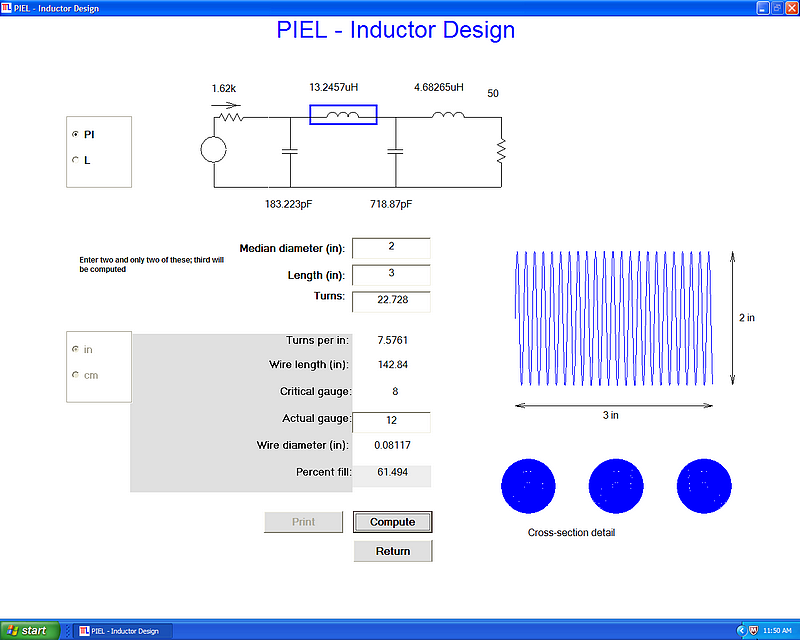
Updated to 2.05 10 April 2006 - Add inductor-winding routine, clarify volt and amp stress numbers.

Updated to 2.04 4 April 2006 - Add peak voltage across each capacitor and RMS current through every part, based on the power entries.

Updated to 2.03 1 April 2006 - Add significant help screen for input termination (plate load) entry; you may specify voltage and power (or voltage and current) and have the progran calculate the input termination.

Updated to 2.02 22 March 2006 - Show phase angles during tuning, allow save/get data plot for comparison

Released - 2.01 1 February 2006


This program is designed to facilitate the design of PI and PI-L networks.
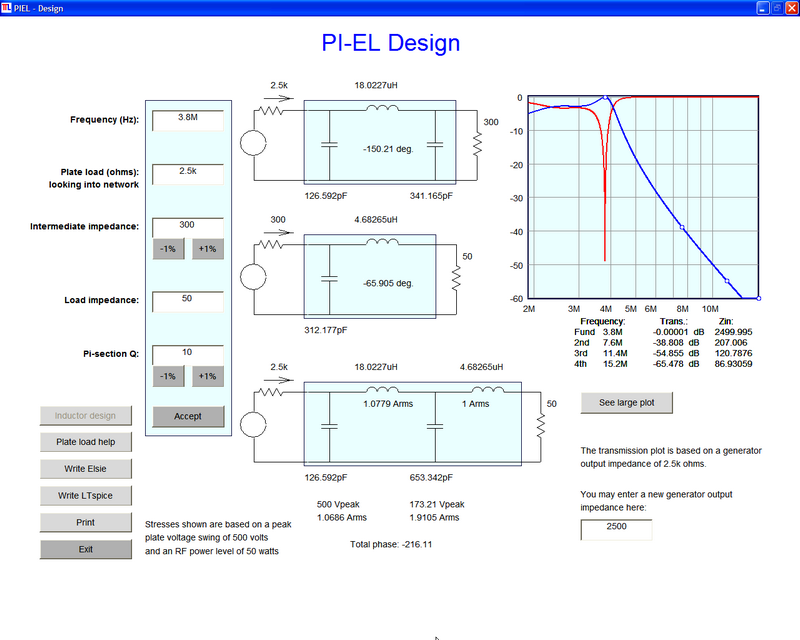
  • The design screen accepts inputs for the operating frequency, the load as seen by the final amplifier tube *, the intermediate impedance if the L-network is to be used, the output load value and the Q value for the PI-network.

  • The above values have defaults for program startup. After using the program, your current values are saved for easy program restart.

  • In addition to simply entering values into the text boxes, "tuning" buttons allow tuning the intermediate impedance up or down in 1% steps and immediately seeing the new component values on the schematic.

  • The Q value for the PI network is entered and tuned in that same manner.

  • Regardless of whether an "out of bounds" value is entered via a textbox or by tuning, the program examines the values and limits them to values which are acceptable.

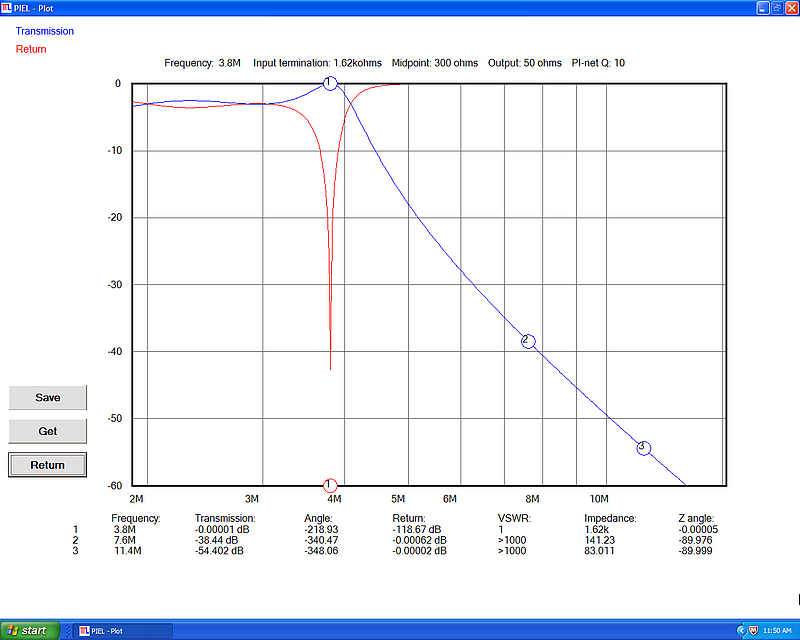
  • Click on the Plot button and see transmission and return plotted. On the plot are indicated the responses for the fundamental, the second and third harmonics. Those items are also shown in tabular form at the bottom of the screen.

  • After the design has progressed to a particular point you may click on Save to save the plot. Later you may recall that plot by clicking on the Get button.

  • Design methods using tables are now history.
* The demise of "tubes" ("valves") has been erroneously reported to have happened.


Here are screen dumps from the program. Click on these images to see the larger versions; use your brower's BACK button to return. If you are using a monitor with 800 x 600 resolution be sure to enlarge the images to full size.

Design screen:
Design screen
Plotting screen:
Plotting screen

To Top

Copyright © 2006 James L. Tonne. All rights reserved.